
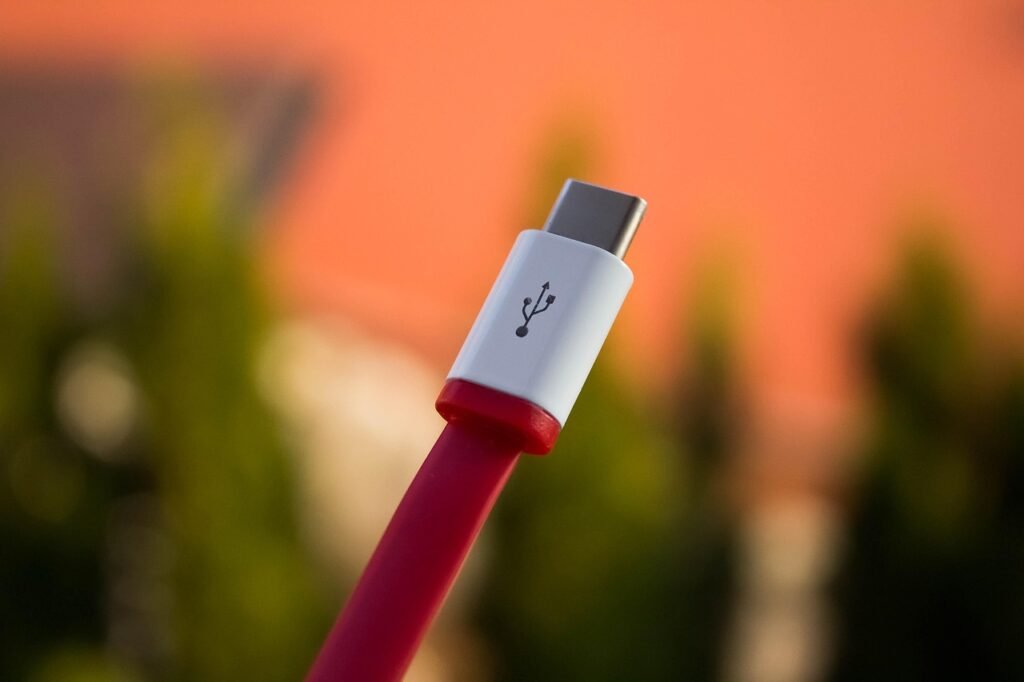
Understanding USB Cable Maximum Length: Performance and Extension Tips
USB cables are among the most commonly used connectors in our daily lives—whether for charging phones, connecting external hard drives, or hooking up printers. However, what many people don’t realize is that USB cable length isn’t arbitrary. Once it exceeds a certain limit, the signal may weaken, and data transfer can even fail.
To keep your devices running smoothly and maintain stable transmission quality, it’s essential to understand the maximum recommended cable length for USB.
In this article, we’ll walk you through the length limitations of different USB standards, explain how cable length affects performance, and share practical techniques to safely and effectively extend USB connections without sacrificing signal quality or device stability.
What Is the Maximum Length of Common USB Cables?
The maximum length of a USB cable is not a single universal standard—it depends on the USB version and its data transfer rate. As versions evolve, transfer speeds increase, but the signal also becomes more sensitive to attenuation. That’s why the maximum cable length varies across different USB generations:
USB 1.1 (Low/Full Speed, 1.5–12 Mbps): In theory, it can support cables up to 3–5 meters, but delays or packet loss may occur beyond this range.
USB 2.0 (High Speed, 480 Mbps): The recommended maximum length is 5 meters. This is the most common limit, and most everyday peripherals (keyboard, mouse, printer) work fine within it.
USB 3.0 / 3.1 / 3.2 (SuperSpeed, 5–20 Gbps): With much higher speeds, the cable length generally should not exceed 3 meters. For reliable performance, many high-quality cables are even limited to 2 meters or less.
USB4 and Thunderbolt (up to 40 Gbps): These require stricter cable specifications. Standard passive copper cables are usually limited to about 0.8–1 meter. For longer distances, you’ll need active cables or optical USB cables.
In short: the faster the speed, the shorter the cable. High-speed signals attenuate quickly in copper wires, and excessive length can cause errors or disconnections.
If you need longer connections, you can extend safely by using USB hubs, active extension cables, signal repeaters, or optical USB cables, which allow greater distances while maintaining high transfer speeds.
How USB Cable Length Affects Performance
The length of a USB cable is more than just a matter of physical size—it directly impacts both data transfer stability and power delivery efficiency. As the cable gets longer, performance tends to be affected in the following ways:
Signal Attenuation
When electrical signals travel through a longer cable, resistance and electromagnetic interference gradually weaken the signal strength. The more severe the attenuation, the more likely communication errors will occur, which may result in data loss, unstable connections, or even complete disconnection.
Reduced Data Transfer Speed
Different USB versions tolerate cable length differently. For example:
USB 2.0: Generally maintains 480 Mbps speeds within 5 meters, but performance drops significantly beyond that.
USB 3.0 and USB 3.1: Stricter length requirements, typically recommended under 3 meters to sustain 5 Gbps or 10 Gbps.
If these recommended lengths are exceeded, high-speed applications—such as HD video streaming or external SSD data transfers—may experience lag or drastic slowdowns.
Limited Power Delivery
Besides data, USB cables also provide power. Longer cables introduce greater voltage drops, which means less power reaches the device. This can result in slower charging times or even failure to power certain devices. For power-hungry devices (like laptops using USB-C PD fast charging), this issue becomes especially critical.
In short: the longer the cable, the weaker the signal, and the harder it is to guarantee both speed and power efficiency. When choosing and using USB cables, it’s important to consider not just the connector standard, but also the actual distance you need, to ensure optimal performance.
Solutions for Extending USB Cable Length
Although USB cables have clear length limitations depending on the version, in real-world applications users often need longer transmission distances—for example, setting up a home office, connecting a remote printer, installing surveillance equipment, or managing multiple terminals in industrial environments.
As a wholesale supplier of USB cables and accessories, we fully understand our customers’ dual demand for stability and flexibility. That’s why we’ve summarized several common and effective extension solutions:
USB Active Extension Cables
Unlike standard extension cables, active extension cables come with built-in signal amplification chips, which help maintain signal quality over long distances. These are ideal for setups requiring more than 5 meters, such as external display connections or remote device control. We can supply bulk orders of active extension cables in different specifications to meet office and engineering needs.
USB Hubs
For longer distances, USB hubs can be strategically placed to “extend in segments.” A hub not only extends transmission range but also adds more ports for multiple devices to connect simultaneously. We offer multi-port USB 2.0/3.0/Type-C hubs, with options for bulk customization and private labeling.
USB Signal Amplifiers/Repeaters
Specifically designed for long-distance transmission, these devices boost signals mid-line to ensure stable delivery of both data and power. They are especially useful in industrial control systems or surveillance setups. We keep various models in stock and can recommend the most suitable solutions based on customer needs.
Optical USB Cables
For transmission distances of tens or even hundreds of meters, optical USB cables are the best choice. They use fiber optics to carry signals, making them almost immune to electromagnetic interference with ultra-low latency. This makes them ideal for high-bandwidth applications such as VR or HD video transmission. We partner with leading fiber cable manufacturers to provide customers with wholesale access to high-performance optical USB products.
Optical USB Cables
For transmission distances of tens or even hundreds of meters, optical USB cables are the best choice. They use fiber optics to carry signals, making them almost immune to electromagnetic interference with ultra-low latency. This makes them ideal for high-bandwidth applications such as VR or HD video transmission. We partner with leading fiber cable manufacturers to provide customers with wholesale access to high-performance optical USB products.
Practical Tips for Maintaining Signal Quality
When extending USB cable length, maintaining strong signal quality is key. This ensures fast and stable data transfer and more reliable device operation. Below are some practical tips to help you achieve optimal performance when using USB extension solutions:
Choose High-Quality Cables
The materials and construction of a cable directly affect transmission stability. Premium shielding effectively blocks electromagnetic interference (EMI) and radio frequency interference (RFI). For example, the Cable-C USB-C to USB-C cable features a reinforced braided exterior and gold-plated connectors, offering durability while maximizing signal clarity.
Control Cable Length
Even with extension tools, cable length should ideally remain within the recommended limits of each USB standard. Keeping the physical distance shorter helps reduce signal attenuation. If you must go beyond standard limits, pair the setup with active devices.
Use Active Extension Solutions
Active extension cables and powered USB hubs amplify the signal during long-distance transmission, preventing instability caused by excessive length. This is the ideal choice for high-bandwidth applications such as HD video or external SSD data transfers.
Avoid Sources of Interference
Wireless devices, microwave ovens, and even certain household appliances can interfere with USB signals. When routing cables, keep them away from such potential interference sources to ensure data integrity.
Ensure Secure Connections
Loose connections reduce charging efficiency and increase the risk of data dropouts. Regularly check connectors to make sure the cable plugs fit firmly into device ports—this can significantly improve connection stability.
Perform Regular Maintenance and Replacement
USB cables are consumables that wear out over time due to bending, friction, or poor contact. Inspect cables regularly and replace them when issues arise to prevent disruption of critical data transfers.
Conclusion
Each USB version comes with clear cable length limitations, and exceeding them increases the risk of signal loss and unstable transmission. If you need longer distances, solutions such as active extension cables, USB hubs, or optical USB cables are highly effective. By applying the above tips—and choosing premium cables like those from Cable-C—you can extend transmission distances while still enjoying fast, stable connections.
